Editorial field guide3 min readUpdated 3 October 2026
Contents and media references
“Smart glasses” covers different kinds of devices. Start with the experience you want to make, then choose the tools.
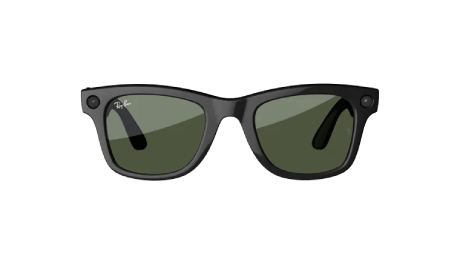
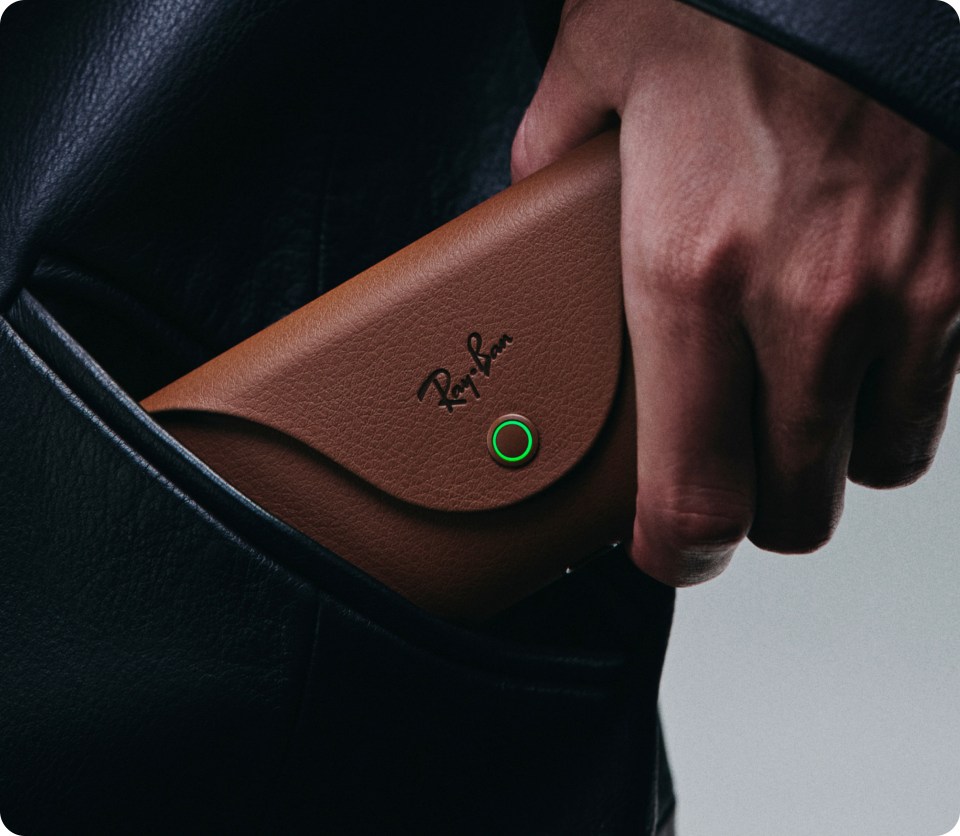
Camera glasses record from near the wearer’s eyes. A camera is distinct from an in-lens display or spatially tracked augmented reality. Image source: Meta Charging and storage are part of the capture workflow. Test the full route from device to finished video, not just the view through the lens. Image source: Meta
Three types of glasses and what they capture
A / CAPTURE
Camera glasses
Wearable cameras record the physical world from near the wearer’s viewpoint. Ray-Ban Meta glasses are one example of hands-free photo and video capture.
Useful for process films, creator diaries and walkthroughs. A camera alone does not add digital objects to the wearer’s view.
Ray-Ban’s camera-glasses guide B / INFORMATION
Display glasses
An in-lens display can show information while you remain aware of your surroundings. Meta’s developer platform distinguishes displayless glasses from display glasses.
A visible screen does not, by itself, mean an experience supports spatially anchored 3D storytelling.
Meta’s developer overview C / SPATIAL
AR glasses
Augmented reality glasses combine a view of the physical world with digital content. Snap’s SPECS platform, for example, supports Lenses and hand-tracked interactions.
Useful for stories connected to places, objects and actions. Check the exact device’s capture and export workflow before production.
Snap’s AR platform introduction
SOURCE MATERIAL / CLOSE READING
Read the images alongside the specification
These are official product photographs. They show the device and case, not sample footage or an AR display.
The product figures above are credited to Meta. Compare the capture, information-display and spatial-AR categories before choosing a device.
Smart glasses vs AR glasses: choose by the output
The most useful starting question is “what must the audience receive?” If the answer is a finished video, camera placement, audio and export quality matter first. If the answer is a digital experience attached to a real place, tracking and interaction matter first. A device can support several capabilities, but the presence of one does not prove the others.
Camera glasses, action camera or phone?
Camera glasses keep your hands available and move with your head. A chest-mounted action camera can keep hands and tools visible while reducing some head movement. A phone on a tripod gives a stable view and makes recording obvious to participants. For a cooking demonstration, a fixed overhead phone may explain the workspace better than glasses. For a route through an exhibition, a near-eye camera may communicate the visitor’s encounter more directly.
Test five things before committing
Record a task with your hands at a natural working height. Check whether the important detail is visible. Walk from a bright area into a dim one and inspect the exposure transition. Speak while moving and listen for wind or clothing noise. Export the file and check its dimensions, compression and audio. Finally, repeat the intended session length rather than relying on a short demonstration.
What does the AR recording actually contain?
A wearer may see a virtual label next to an exhibit while the exported camera file contains only the exhibit. A separate app capture may include the label with a different crop or timing. A production can also add a graphic afterwards. These are different workflows. Label the finished piece accurately and keep a short reference recording that demonstrates what the participant genuinely experienced.
Example: an augmented repair guide
A useful concept might attach a numbered instruction to a component, then advance after a deliberate action. The physical task, virtual instruction and video documentation all need to agree on where the component is. Prototype the interaction with one component before building a complete repair sequence. This is a creative concept, not a claim that every pair of AR glasses supports it.